Confluence vs Jira: Key Differences, Features and Use Cases (2026)
| Key Facts | Confluence | Jira |
|---|---|---|
| Publisher | Atlassian | Atlassian |
| Primary purpose | Documentation, knowledge management, team wiki | Issue tracking, project management, agile workflows |
| First released | 2004 | 2002 |
| Primary users | IT, HR, marketing, product teams, BAs | Software development, DevOps, QA, agile teams, PMs |
| Key features | Wiki pages, spaces, templates, real-time collaboration | Sprints, boards, backlogs, issue types, workflow automation |
| Pricing (2026) | Free plan available; Standard ~$6.05/user/month | Free plan available; Standard ~$8.15/user/month |
| Cloud/Server | Cloud, Data Center | Cloud, Data Center |
| Works together? | Yes — native Atlassian integration with Jira | Yes — native Atlassian integration with Confluence |
| Best for BAs | Requirements documentation, knowledge base, process documentation | Project delivery tracking, sprint participation, issue management |
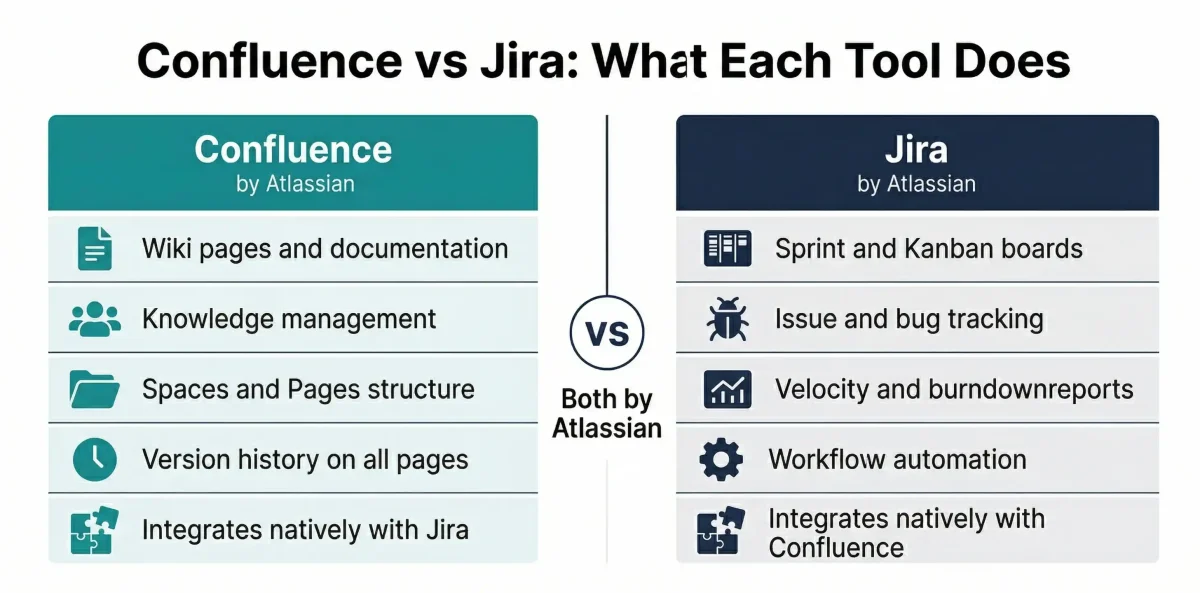
The confluence vs jira comparison is one of the most frequently asked questions in IT teams, DevOps organisations, and business analysis practice — and it is frequently misunderstood. Both tools come from Atlassian, both are widely used in technology organisations, and both often appear as requirements in BA and PM job descriptions. But they do fundamentally different things. This guide explains exactly what each tool does, where they differ, when to use each, and how they work together in the Atlassian ecosystem — written specifically for IT professionals, project managers, and business analysts who need to understand both tools in their professional context
- Related: For BAs building their tool knowledge for certification or career development, see our business analyst career guide.
Confluence vs Jira: The Essential Difference
Confluence is a documentation and knowledge management tool. Its purpose is to create, organise, and share information — meeting notes, project plans, requirements documents, onboarding guides, technical documentation, and team wikis. Think of Confluence as a structured, searchable, team-editable intranet where knowledge lives.
Jira is a project management and issue tracking tool. Its purpose is to plan, assign, and track work — tasks, bugs, user stories, sprints, and releases. Think of Jira as the system of record for what the team is working on, who is responsible, and what the current status is.
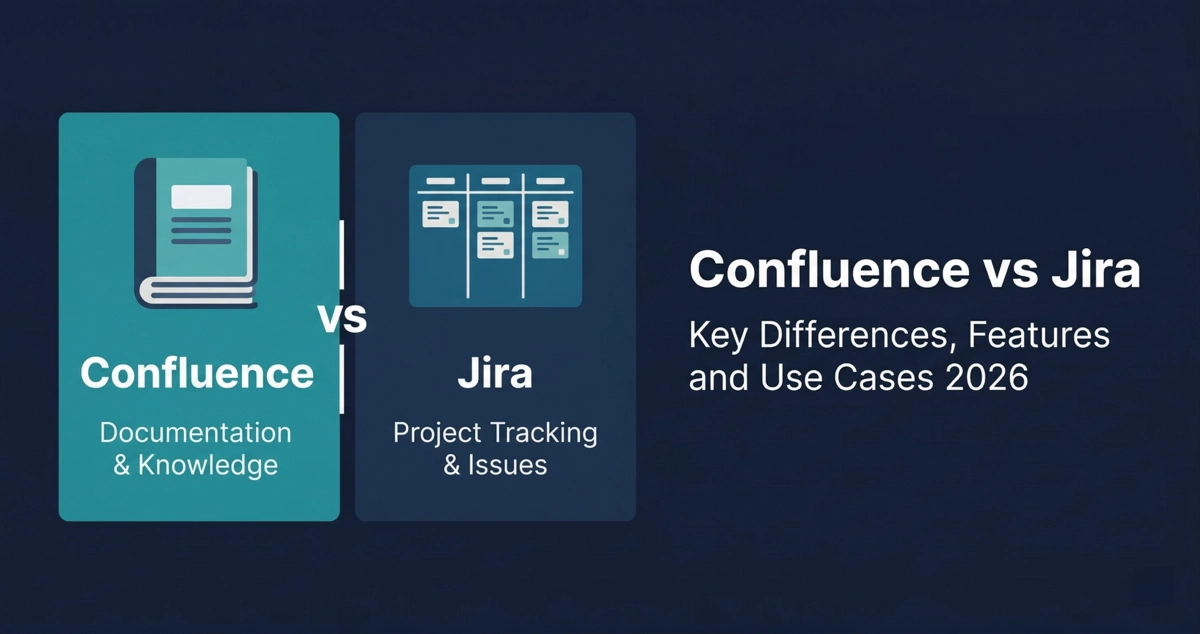
The simplest way to remember it: Confluence is where your team documents and shares knowledge. Jira is where your team tracks and executes work. You write about a project in Confluence. You manage the project in Jira.
They are not competitors and they are not interchangeable. Atlassian built them to complement each other — Confluence provides the context and documentation, Jira provides the workflow and delivery management. The two tools integrate natively, which is why most professional teams use both.
What is Confluence and What is it Used For?
Confluence is a web-based collaboration and documentation platform developed by Atlassian. It was launched in 2004 as an enterprise wiki — a place for teams to create and share knowledge in a structured, searchable format. In modern organisations, Confluence has evolved into the primary platform for internal documentation, knowledge bases, project workspaces, and team intranets.
Key Use Cases for Confluence
- Requirements documentation: Business analysts use Confluence to write, structure, and share business requirements documents (BRDs), functional requirements, user stories, and process flow descriptions — making them accessible to the entire project team.
- Project documentation: Project managers create project charters, meeting minutes, status reports, risk registers, and decision logs in Confluence — building a permanent, searchable project record.
- Knowledge management: IT and HR teams build onboarding guides, how-to articles, policy documents, and FAQs in Confluence — creating a self-service knowledge base that reduces support burden.
- Technical documentation: Development teams document APIs, architecture decisions, deployment procedures, and runbooks in Confluence — giving developers and operations teams a shared technical reference.
- Agile ceremonies: Scrum teams use Confluence for sprint retrospective notes, team working agreements, and product roadmaps — providing the narrative context that Jira’s task boards do not capture.
Confluence is organised into Spaces (dedicated workspaces for a team, project, or topic) and Pages (individual documents within a Space). Pages support rich content: text, tables, images, macros, embedded charts, code blocks, and links to Jira issues. Pages have version history — every edit is saved, so previous versions can be restored.
What is Jira and What is it Used For?
Jira is a project management and issue tracking platform developed by Atlassian. Launched in 2002, it began as a bug tracking tool for software development teams and has since expanded into a comprehensive work management platform used by IT, DevOps, agile software teams, and service management organisations worldwide.
Key Use Cases for Jira
- Agile project management: Jira is the dominant tool for Scrum and Kanban teams — managing product backlogs, sprint planning, sprint execution, and release tracking through configurable boards and workflows.
- Bug and issue tracking: Development and QA teams log, categorise, assign, and track bugs, defects, and change requests in Jira — maintaining a complete record of every issue in the product or system.
- Service management: Jira Service Management extends Jira’s issue tracking model to IT service desks, customer support, and incident management — managing service requests, SLAs, and escalations.
- Workflow automation: Jira’s rule-based automation engine allows teams to automatically update issue status, send notifications, create subtasks, and trigger integrations when conditions are met — reducing manual workflow overhead.
- Reporting and dashboards: Jira provides built-in reports for sprint velocity, burndown charts, issue cycle time, and team workload — giving project managers and scrum masters real-time delivery visibility.
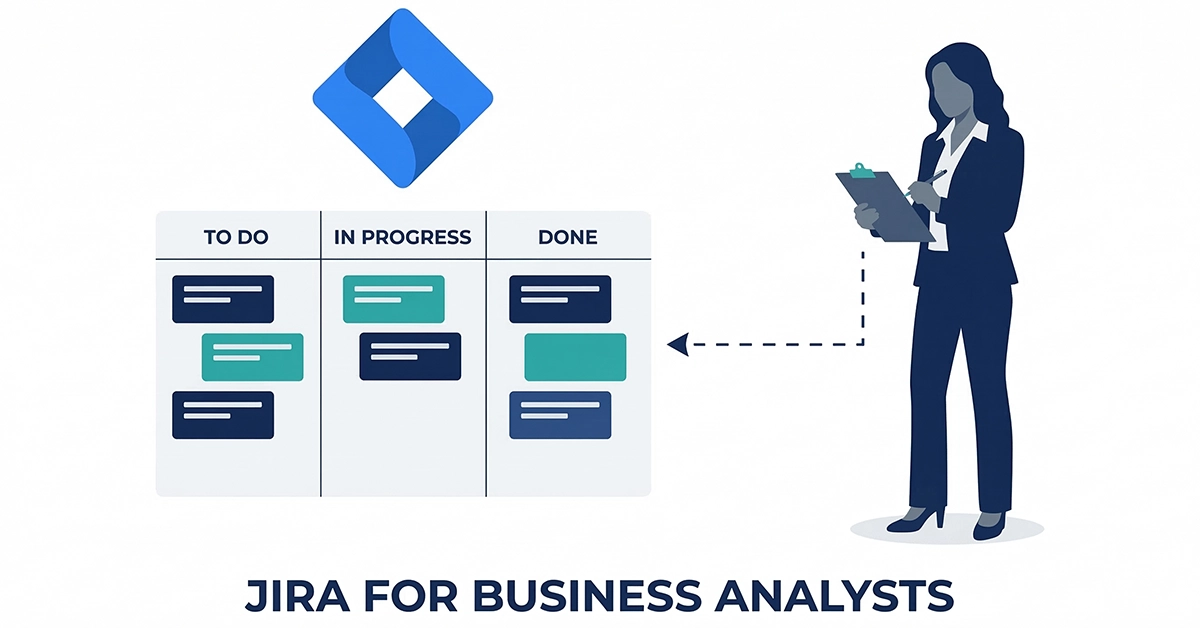
Jira organises work into Projects (collections of related issues), Issues (individual tasks, bugs, or stories), and Boards (visual representations of work in progress). Every issue has a configurable workflow with statuses (To Do, In Progress, Done, etc.) that the team defines to match their delivery process.
Confluence vs Jira: Feature Comparison
| Dimension | Confluence | Jira |
|---|---|---|
| Primary function | Documentation and knowledge management | Issue tracking and project management |
| Core content unit | Pages — rich text documents with version history | Issues — structured records with fields, status, and workflow |
| Organisation structure | Spaces (workspaces) containing Pages (documents) | Projects containing Issues and Boards |
| Agile support | Documentation support (retrospective notes, roadmaps) | Full agile — sprints, backlogs, velocity, burndown, boards |
| Search | Full-text search across all Spaces and Pages | Jira Query Language (JQL) for precise issue filtering |
| Version control | Page history — all edits saved, previous versions restorable | Issue history — all changes logged with timestamp and user |
| Collaboration | Real-time co-editing, inline comments, page likes, @mentions | Issue comments, @mentions, watchers, email notifications |
| Templates | 100+ templates for meeting notes, project plans, specs, OKRs | Issue type templates, workflow templates, project templates |
| Permissions | Space-level and page-level permission controls | Project-level and issue-level permission schemes |
| Reporting | Page analytics, space activity reports | Sprint reports, burndown, velocity, cycle time, cumulative flow |
| Integration | Native Jira integration — link pages to issues, embed Jira boards in Confluence pages | Native Confluence integration — link issues to Confluence pages |
| Free plan | Yes — up to 10 users | Yes — up to 10 users |
| Best for | IT, HR, marketing, product, BA teams needing to share knowledge | Software development, DevOps, QA, service management teams |
- Related: For up-to-date pricing for both tools, see the official Atlassian pricing pages – Confluence pricing, Jira pricing.
When to Use Confluence
Choose Confluence as your primary tool when your team’s primary need is creating, sharing, and organising knowledge — rather than tracking and executing work.
- Your team needs a centralised knowledge base — a single place where policies, processes, guides, and reference documents are searchable and accessible to everyone.
- You are managing project documentation — writing business requirements, project charters, architecture decision records, or meeting minutes that the full project team needs to access and contribute to.
- You are building an intranet or team wiki — onboarding documentation, departmental guides, or company policies that HR, IT, or operations teams need to maintain and update regularly.
- You need version history on documents — Confluence tracks every change to every page, making it suitable for compliance-sensitive documentation in regulated industries.
- You want to link documentation to work items — Confluence’s native Jira integration allows you to embed Jira sprint boards, link to specific issues, and show live issue counts directly in Confluence pages.
Confluence is particularly valuable for Business Analysts, who use it to document requirements, structure BA deliverables, and maintain a searchable knowledge base of analysis artefacts across multiple projects.
- Related: For how BAs use documentation tools in their daily practice, see our guide to business analyst best practices.
When to Use Jira
Choose Jira as your primary tool when your team’s primary need is tracking, assigning, and managing work through a defined workflow — rather than documenting and sharing knowledge.
- You are running agile software development — Jira is the standard tool for Scrum and Kanban teams managing product backlogs, sprint planning, and release tracking.
- You need structured issue tracking — bugs, defects, change requests, and service tickets all benefit from Jira’s configurable issue types, workflows, and priority levels.
- You need delivery reporting — sprint velocity, burndown charts, and team workload reports are built into Jira and require no additional configuration for standard agile teams.
- You need service desk management — Jira Service Management extends Jira’s model to customer-facing support, IT service desks, and incident management with SLA tracking.
- You need workflow automation — Jira’s rule engine can automate status transitions, notifications, and integrations triggered by issue events, reducing manual process overhead significantly.
Can Confluence and Jira Be Used Together?
Yes — and most professional teams using either tool eventually adopt both. Confluence and Jira are designed by Atlassian to work together, and the native integration between them is one of the strongest arguments for using both rather than one.
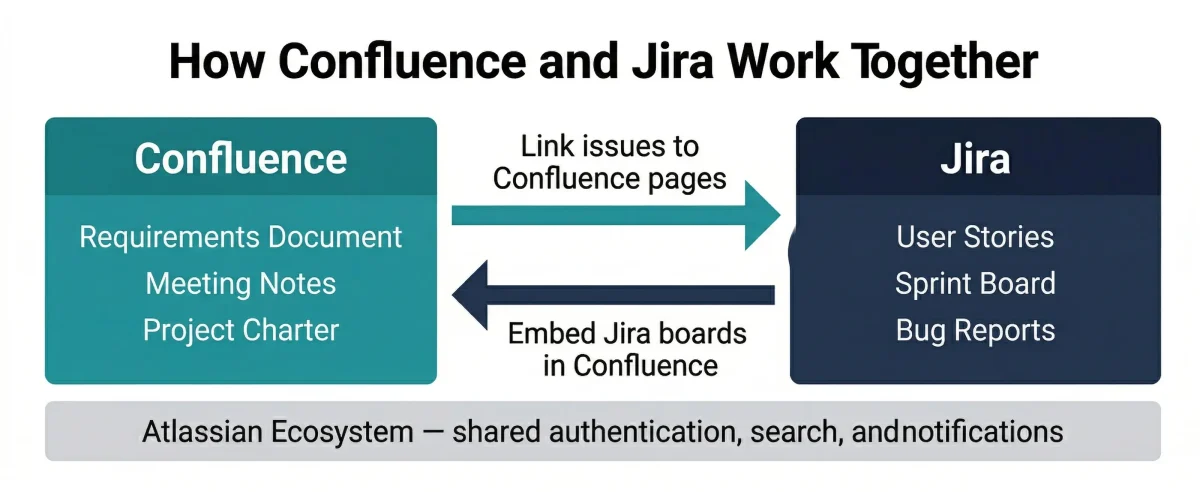
How Confluence and Jira Integrate
The native integration between Confluence and Jira works bidirectionally. From Confluence, you can embed a live Jira issue list or sprint board directly into any Confluence page — the board updates automatically as Jira issues change. From Jira, you can link any issue directly to a Confluence page — for example, linking a user story to its acceptance criteria document in Confluence.
Confluence pages created for a specific Jira project appear in the project’s sidebar in Jira, making project documentation immediately accessible to the team working on the issues. Sprint retrospective notes written in Confluence are linked to the sprint in Jira, creating a complete record of both the work done (Jira) and the team’s reflections on it (Confluence).
Practical example for BA teams: A business analyst writes the requirements document for a new feature in Confluence. Each requirement is linked to the corresponding Jira user story. When a developer starts working on a story, they can navigate directly from Jira to the Confluence requirements page. When requirements change, the Confluence page is updated and the change is visible to everyone linked to the story. This creates a fully traceable requirements-to-delivery chain without manual cross-referencing.
Working with Jira and Confluence in your BA or PM role?
Techcanvass offers Jira and Confluence training courses designed for IT professionals and business analysts — covering practical use cases for both tools in real project environments.
Jira and Confluence in the Atlassian Ecosystem
Atlassian is the Australian software company that develops and publishes both Jira and Confluence. Atlassian is not a tool itself — it is the organisation behind the tools. Understanding this relationship removes a common source of confusion, particularly for users who encounter all three names in job descriptions or procurement discussions.
Atlassian’s product suite extends beyond Jira and Confluence. Trello (lightweight visual task management), Bitbucket (Git code repository), Jira Service Management (service desk and ITSM), and Atlassian Access (identity and security management) are all Atlassian products. Jira and Confluence are the two flagship products at the core of most enterprise Atlassian deployments.
For job seekers and BA professionals: When a job description says ‘experience with Atlassian tools,’ it typically means Jira and Confluence specifically. Atlassian tool proficiency appears regularly in business analyst, project manager, and scrum master job descriptions — and refers to the ability to use Jira for project tracking and Confluence for documentation management.
Confluence vs Jira for Business Analysts
Business analysts interact with both Confluence and Jira regularly in delivery environments, and the way each tool is used differs from how developers or project managers use them. Understanding the BA-specific application of each tool is increasingly important as Atlassian proficiency appears in BA job descriptions.
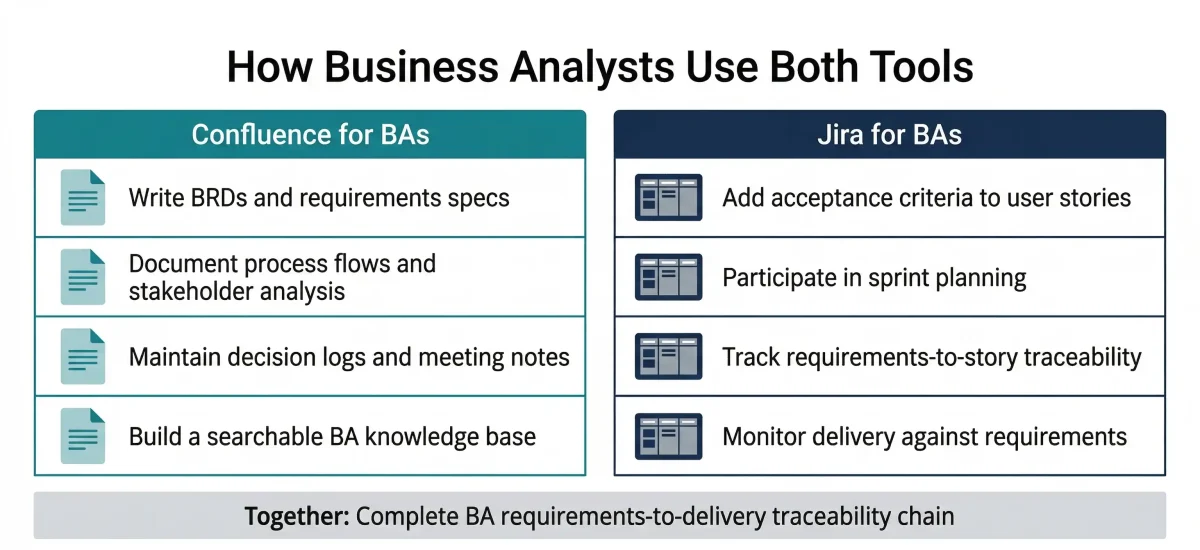
How Business Analysts Use Confluence
- Requirements documentation: Confluence is the primary platform for BAs writing BRDs, functional specs, use cases, and acceptance criteria. The page structure, templates, and version history make it significantly more suitable than Word documents or Google Docs for collaborative requirements work.
- Stakeholder communication: Confluence pages can be shared with stakeholders at any permission level — giving executives read-only access to project status pages while giving the BA team full edit rights on working documents.
- BACCM and BA framework documentation: BAs use Confluence to document business analysis frameworks, process models, and knowledge base articles that the team can reference throughout the project lifecycle.
- Decision logging: Confluence’s page format is well-suited to documenting key decisions made during requirements workshops — including the decision, rationale, alternatives considered, and stakeholders consulted.
How Business Analysts Use Jira
- Sprint participation: BAs work alongside development teams in Jira during sprint planning — writing acceptance criteria on user stories, reviewing issue priorities, and flagging dependencies.
- Requirements traceability: Linking Confluence requirements documents to Jira user stories creates a live traceability matrix — allowing BAs to verify that every requirement has a corresponding delivery item.
- Backlog management: In agile environments, BAs contribute to backlog refinement by reviewing user story definitions, adding acceptance criteria, and ensuring stories meet the team’s Definition of Ready before sprint planning.
- Progress tracking: BAs use Jira’s sprint board and report views to monitor whether requirements are being delivered as specified — tracking which stories are in progress, blocked, or complete relative to the sprint commitment.
- Related: For BAs preparing for CBAP certification, Jira and Confluence appear in real-world scenarios across multiple BABOK knowledge areas.
Frequently Asked Questions: Confluence vs Jira
The main difference between Confluence and Jira is the type of work they manage. Confluence is a documentation and knowledge management tool — it is used to create, organise, and share information like meeting notes and project plans. Jira is a project management and issue tracking tool — it is used to plan, assign, and monitor tasks, bugs, and sprints.
Confluence is where teams document what they know, while Jira is where teams track what they are building. They are complementary products, serving different functions in the same project workflow.
No — Jira and Confluence are two separate tools with different purposes, even though both are made by Atlassian. Confluence is a collaboration and documentation platform focused on knowledge sharing, whereas Jira is a project management platform focused on tracking and executing work.
They share a common authentication system and native integration, which is why they are often used together. However, they remain distinct products for different professional needs.
Confluence is used for team collaboration and knowledge management. Common use cases include internal wikis, project documentation (requirements, charters), onboarding materials, and technical architecture documents. It organises content into Spaces and Pages, supporting rich content like tables, images, and embedded Jira views.
Jira is primarily used for project management and issue tracking. Its common use cases include agile software development (managing backlogs, sprints), bug and defect tracking, IT service management (incident handling), and configurable workflow management. It provides strong reporting through sprint velocity charts and burndown reports.
Yes — they have native bidirectional integration. From Confluence, you can embed live Jira issue lists and roadmaps that update automatically. From Jira, you can link any issue to a Confluence page. This provides a complete workflow from planning and documentation through to execution and delivery tracking.
Confluence is used by teams managing information: HR (policies), Marketing (content plans), Product Managers (PRDs), and BAs (requirements). Jira is used by teams executing tasks: Software Developers (sprints), QA Engineers (bugs), and Project Managers (delivery progress). Often, the same team uses both simultaneously for different aspects of their work.
Atlassian is the company that develops these tools. Jira and Confluence are its two flagship products. The broader ecosystem includes Jira Service Management, Trello, and Bitbucket. All cloud products share common authentication and integration frameworks, providing a unified user experience across the entire suite.
Main disadvantages include a steeper learning curve compared to simpler tools, the potential for disorganisation without strict governance, and search functionality that relies heavily on well-structured content. Additionally, performance can slow down on very large instances with thousands of pages.
Jira can be overwhelming for non-technical users due to its complex interface. Its configuration is rigid, meaning changes to workflows can be disruptive. While metrics for development are strong, business-level reporting often requires additional plugins or configuration effort.
BAs use Confluence for primary documentation like requirements (BRDs), functional specs, and user stories. Jira then supports delivery by allowing BAs to add acceptance criteria to issues and track requirements traceability by linking Jira stories directly back to Confluence requirements pages.
In This Article