How to Become a Technical Business Analyst?
A practical guide for Business Analysts who want to add technical depth and stay relevant in the AI era.
- Understand what a Technical Business Analyst does
- Learn the key skills: APIs, SQL, data mapping, systems, cloud, and AI
- See how Technical BAs work with developers, architects, QA, and data teams
- Follow a structured roadmap for functional BAs and systems analysts
- Explore Roadmaps and learning paths that support a Technical BA transition
Why this guide matters now
Business analysis is going through a major transformation, primarily because of AI. Artificial Intelligence can perform several business analysis activities partially or completely, so business analysts must respond to this transformation to remain relevant.
We believe that the current Business Analyst role will evolve into a Technical Business Analyst role. If you are already a functional Business Analyst, this can be a powerful next step in your career. If you are planning to enter business analysis, learning technical business analyst skills early can make your profile much stronger.
What is a Technical Business Analyst?
A Technical Business Analyst is a Business Analyst who can understand business requirements and also interpret them from a systems, data, and technology perspective.
In simple terms, a Technical BA stands between business needs and technical implementation.
“What should happen when a customer taps Block card?”
“Which core banking API needs to be used for the card-status change, and what’s its latency?”
Suppose a bank wants to introduce a feature where customers can set up automatic credit card payments. A Business Analyst will capture the business requirement, customer journey, business rules, exceptions, and acceptance criteria.
This does not mean the Tech BA designs the entire technical solution alone. But the Tech BA is able to participate in deeper solution conversations and reduce the gap between business expectations and technical delivery.
That is why Technical Business Analysts are increasingly valuable in digital transformation, banking, insurance, fintech, SaaS, e-commerce, healthcare technology, AI projects, and enterprise software implementation.
Technical Business Analyst vs Business Analyst: What is the Difference?
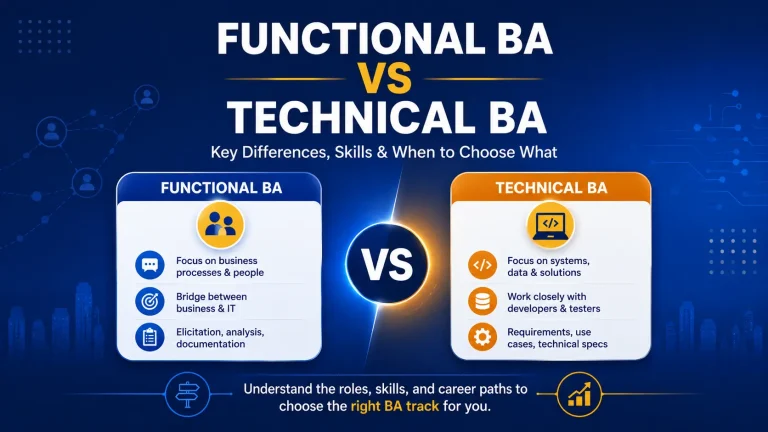
A Business Analyst and a Technical Business Analyst both work on understanding business needs and helping teams deliver the right solution. The difference is mainly in the level of technical involvement.
| Area | Business Analyst | Technical Business Analyst |
|---|---|---|
| Primary focus | Business needs, processes, stakeholders, requirements | Business needs plus systems, data, APIs, integrations, and technical feasibility |
| Documentation | BRD, FRD, user stories, process flows, business rules | Same documents plus data mapping, API requirements, system flows, integration details |
| Collaboration | Business stakeholders, product owners, QA, project teams | Business stakeholders, developers, architects, DevOps, data teams, QA, product teams |
| Technical depth | Basic understanding of systems and SDLC | Stronger understanding of systems, databases, APIs, cloud, and integrations |
| Ideal for | Functional BA, domain BA, process BA, Agile BA | Digital projects, technical products, system integrations, data-driven projects, AI-enabled solutions |
So, the sequence should not be: “Forget business analysis and become technical.”
The right sequence is: “Maintain the core competency in business analysis, then add technical awareness to become more effective in any type of project.”
What Do Technical Business Analysts Do?
The responsibilities of a Technical Business Analyst can vary by company, project, and industry. In some companies, the role may be called Business Systems Analyst, Systems Analyst, or Technical Product Analyst.
Understand business problems
Understand business problems and convert these into requirements.
Analyze systems
Analyze Systems and Integrations.
Create data mapping
Create data mapping & models.
Support APIs
Support API and Integration Requirements.
Create documentation
Create technical documentation.
Skills You’ll Need Along the Way
Before diving into the list, it is important to understand that you do not need to master every skill listed here to become a Technical Business Analyst. Your starting point matters. A functional BA moving into a technical role will need to build different capabilities than someone coming from a developer or systems analyst background.
The idea is to look at where you are today, identify the gaps that are most relevant to the kind of work you want to do, and build from there. In the next section, we will lay out specific learning roadmaps based on your current role so you can prioritise what to learn first and what can wait.
Core Business Analysis Skills
Solid business analysis remains the foundation of the Technical BA role. You still need strong elicitation, stakeholder management, process modelling, and acceptance criteria skills.
APIs and Integrations
Most enterprise projects involve systems talking to each other through APIs. A Technical BA should understand request-response flows, payloads, authentication, and failure scenarios well enough to define clear integration requirements.
SQL and Database Knowledge
SQL helps a Technical BA access, verify, and understand data without depending on developers for every check. Basic knowledge of tables, joins, keys, and queries also helps in data model and reporting discussions.
Data Mapping
Data mapping explains how fields move from a source system to a target system. This skill helps prevent integration errors, reporting issues, and data quality problems after go-live.
Data Analysis and Visualization
Technical BAs often need to analyse data patterns and present insights clearly to stakeholders. Tools like Excel, Power BI, or Tableau help convert raw data into dashboards, trends, and decision-ready visuals.
System Design and Cloud Basics
You do not need to architect solutions, but you should understand the basic building blocks of modern systems. Concepts such as frontend, backend, cloud platforms, microservices, and environments help you ask better questions.
AI Tools
AI tools can help BAs draft requirements, summarize documents, generate SQL, review test cases, and create first-cut documentation. The key skill is knowing how to prompt well and validate the output carefully.
AI Agents
AI agents can take actions, interact with tools, and support automated workflows with limited human intervention. A Technical BA should understand agent use cases, workflow rules, controls, and human-in-the-loop needs.
Want the Full Skills Breakdown?
This is the overview. For the complete guide to each skill, the tools that go with it, and how to build them in order, read our dedicated skills article.
Tools Technical Business Analysts Should Learn
Knowing the right concepts is one half of the equation. The other half is knowing which tools bring those concepts to life in your daily work.
The good news is that most of these tools offer free tiers or trial versions, so you can start practising without any upfront investment.
Below is a list of the most used tools across Technical BA roles, organised by what they help you do.
Jira
Purpose: Project and issue tracking
Use cases: Creating and managing user stories, tracking bugs, writing acceptance criteria, managing sprint backlogs, linking requirements to development tasks
Open tool →Confluence
Purpose: Documentation and knowledge management
Use cases: Writing BRDs, technical specifications, meeting notes, process documentation, creating team wikis and shared requirement repositories
Open tool →Rovo
Purpose: AI-powered enterprise search and knowledge assistant by Atlassian
Use cases: Searching across Jira, Confluence, and connected tools using natural language, quickly finding requirements or decisions buried across projects, summarising long documents
Open tool →Draw.io (diagrams.net)
Purpose: Diagramming (free and open source)
Use cases: Creating process flows, data flow diagrams, system architecture diagrams, entity relationship diagrams, sequence diagrams, network topology maps
Open tool →Microsoft Visio
Purpose: Diagramming (enterprise)
Use cases: Same as Draw.io but preferred in Microsoft-heavy organisations, often used for detailed BPMN process models and infrastructure diagrams with built-in stencil libraries
Open tool →Lucidchart
Purpose: Cloud-based collaborative diagramming
Use cases: Real-time collaborative process mapping, integration architecture diagrams, wireframing, visual documentation that multiple stakeholders can edit simultaneously
Open tool →Power BI
Purpose: Data analysis and visualisation
Use cases: Building dashboards from business data, analysing trends to support requirements, creating visual reports for stakeholders, validating data post-migration or integration
Open tool →Postman
Purpose: API testing and exploration
Use cases: Sending test API requests, examining response payloads, validating API behaviour against specifications, documenting API collections for the team
Open tool →Swagger / OpenAPI
Purpose: API specification and documentation
Use cases: Reading and reviewing API contracts, understanding request and response schemas, collaborating with developers on API design before coding begins
Open tool →SQL (MySQL Workbench / DBeaver)
Purpose: Database querying and exploration
Use cases: Writing queries to validate business rules, verifying data mappings, exploring table structures and relationships, supporting UAT with real data checks
Open tool →ChatGPT
Purpose: AI assistant for productivity
Use cases: Drafting requirements, summarising documents, generating SQL queries, brainstorming edge cases, reviewing and improving technical documentation
Open tool →Claude
Purpose: AI assistant for analysis and writing
Use cases: Writing detailed technical specifications, analysing complex documents, creating data mapping drafts, generating structured content like test scenarios and acceptance criteria
Open tool →Miro
Purpose: Online whiteboarding and collaboration
Use cases: Remote stakeholder workshops, journey mapping, affinity grouping during elicitation sessions, visual brainstorming with distributed teams
Open tool →Roadmap to Become a Technical Business Analyst
Here is a practical roadmap you can follow. You do not need to learn everything in one week. A structured path is better than random learning.
Read before you proceed further
This roadmap is written for a Functional Business Analyst who already understands core BA skills such as requirements gathering, stakeholder management, process modelling, user stories, acceptance criteria, and UAT support. In other words, the traditional BA foundation is already in place.
So, this roadmap does not start from basic business analysis. It starts from the next step: technical upskilling.
For a Functional Business Analyst, the recommended sequence is to begin with Phase 1, move to Phase 2, and then take up Phase 3.
For a Systems Analyst, the starting point can vary. Since Systems Analysts may already be comfortable with data, integrations, or technical documentation, they can choose the phase based on their current strengths and gaps.
Learning path for Functional BA
Start with Phase 1, then move to Phase 2, and take Phase 3 after that.
Learning path for Systems Analysts
Choose the phase based on current capability; you may not need to follow the sequence strictly.
Three-Phase Learning Path
Phase 1
APIs and Integrations, AI Tools, SQL & Database Knowledge, Data Mapping, System Design & Cloud Basics
3 weeksPhase 2
Data Analysis and Visualization
4 weeksPhase 3
AI Agents
2 weeksPhase 1: Build the Technical Core
This is the most important starting point for a Functional Business Analyst moving toward a Technical BA role. The goal of this phase is to build comfort with the technical concepts that appear frequently in modern digital projects.
You do not need to become a developer or an architect. But you should understand how systems connect, how data moves, and how technical teams think about solution delivery.
What to learn in this phase
APIs and Integrations
Start by understanding how systems communicate with each other. Learn the basics of APIs, request-response flow, status codes, error handling, and common integration scenarios. This is extremely useful because many business requirements today depend on connected systems rather than standalone applications.
AI Tools
Learn how to use AI tools as a productivity assistant in your BA work. This includes using AI for requirement drafting, summarizing discussions, generating user stories, identifying requirement gaps, and creating first-cut analysis outputs. The focus here is not technical AI development, but practical AI usage for analysts.
SQL & Database Knowledge
A Technical BA should have working knowledge of data. Learn basic SQL queries, tables, relationships, filtering, joins, and how to validate data. This helps a lot when working with reports, issue analysis, system migrations, or data-heavy business requirements.
Data Mapping
Once you understand data basics, move into data mapping. This means learning how one field or data element moves from one system to another, what transformation rules apply, and how missing or incorrect data should be handled. This is one of the most useful skills in integration and migration projects.
System Design & Cloud Basics
At this stage, you should also build a high-level understanding of system components and modern solution environments. Learn basic concepts such as frontend and backend, application layers, cloud platforms, environments, and core system design ideas. The intention is to help you participate more confidently in technical discussions.
Phase 2: Learn Data Analysis and Visualization
Once the technical base is in place, the next step is to build analytical and reporting capability. Many Technical Business Analysts are expected to not only define requirements, but also understand reporting needs, KPIs, dashboards, and business insights.
This phase focuses on Data Analysis and Visualization, with Power BI being a very practical tool to learn.
What to learn in this phase
You should learn how dashboards are structured, how data models support reporting, and how measures and calculations are created. Become familiar with concepts such as:
The objective is not to become a full-time BI developer. Instead, it is to become capable of working on reporting requirements, understanding analytical needs, and supporting stakeholders in defining better dashboards and decision-support outputs.
Phase 3: Learn AI Agents
Phase 3 is best taken after you have covered the technical and analytical basics. This is because AI Agents make more sense when you already understand workflows, systems, business rules, and structured problem-solving.
For a Functional BA, this phase can come later. It is valuable, but it should not replace the foundational technical learning in Phase 1 and Phase 2.
What to learn in this phase
This phase should focus on:
The idea is to understand where AI Agents fit into modern business processes and how a Business Analyst can define, analyze, and govern their usage.
Recommended Learning Sequence for a Functional Business Analyst
If you are a Functional Business Analyst, the best path is:
This sequence works well because:
If you are a Systems Analyst, you can evaluate your current state and enter at the phase where you have the largest learning gap.
Quick Summary
A Functional Business Analyst does not need to relearn business analysis to become a Technical BA. The right move is to build technical depth in a structured way.
Start with APIs, AI tools, SQL, data mapping, system design, and cloud basics. Then move into data analysis and visualization. After that, learn AI Agents to prepare for more advanced, AI-enabled roles.
This three-phase approach keeps the journey practical, focused, and easier to follow.
How Techcanvass Can Help You Become a Technical Business Analyst
The Techcanvass Technical Business Analyst Course is designed for functional BAs and aspiring BAs who want to build technical confidence without becoming developers.
The course focuses on practical Technical Business Analyst skills such as APIs, integrations, SQL, data mapping, system design basics, cloud concepts, Power BI, AI tools, and AI agents.
Key course highlights
- BA-focused explanation of technical concepts
- Hands-on exposure to APIs, SQL, data mapping, and documentation
- Coverage of AI tools, AI agents, Power BI, and cloud basics
- Practical learning path to transition from Functional BA to Technical BA
Common Mistakes to Avoid While Becoming a Technical BA
Mistake 1: Trying to Learn Everything at Once
You do not need to learn SQL, APIs, cloud, Python, Power BI, AI, and system design all at the same time.
Start with the most relevant skills:
Once these are comfortable, you can expand further.
Mistake 2: Ignoring Core BA Skills
Some professionals become so focused on technical skills that they forget the real strength of a BA role: understanding business needs.
A Technical BA still needs to be excellent at:
Technical knowledge is an advantage only when combined with strong business analysis skills.
Mistake 3: Learning Tools Without Understanding the Work
Learning Jira does not automatically make you a Business Analyst. Learning Postman does not automatically make you a Technical BA.
Tools are useful only when you know why you are using them.
Start with the purpose, then learn the tool.
Mistake 4: Not Building a Portfolio
Many aspiring Technical BAs say they know SQL or APIs, but they cannot show how they used that knowledge in a BA context.
A portfolio solves this problem.
Even one well-prepared case study can help you explain your skills in interviews. It gives you examples to talk about, documents to show, and confidence to answer scenario-based questions.
FAQ: How to Become a Technical Business Analyst
1. What is a Technical Business Analyst?
A Technical Business Analyst is a Business Analyst who understands business requirements as well as systems, data, APIs, integrations, and technical implementation considerations. The role helps bridge the gap between business stakeholders and technical teams.
2. Does a Technical Business Analyst need coding?
No, coding is not mandatory for most Technical Business Analyst roles. However, you should understand technical concepts such as databases, SQL, APIs, integrations, SDLC, Agile, and system behavior. Basic scripting or Python can be useful in some roles, but it is not the starting point for most BAs.
3. What is the difference between a Business Analyst and a Technical Business Analyst?
A Business Analyst focuses mainly on business needs, processes, requirements, and stakeholders. A Technical Business Analyst does all of this but also works more closely with systems, data, APIs, integrations, technical documentation, and development teams.
4. What skills are required to become a Technical Business Analyst?
Important skills include requirement analysis, stakeholder communication, Agile, SDLC, SQL basics, data mapping, API understanding, process modelling, technical documentation, non-functional requirements, and systems thinking. For the complete breakdown of these skills and how to build them, read our detailed guide: Build Top Technical Business Analyst Skills In 2026.
5. Which tools should a Technical Business Analyst learn?
Useful tools include Jira, Confluence, draw.io, Lucidchart, Visio, Excel, SQL tools, Postman, Power BI, Miro, and AI tools for productivity. The exact tools depend on the project and company.
6. Can a functional Business Analyst become a Technical Business Analyst?
Yes. Functional Business Analysts can transition into Technical BA roles by gradually learning systems, SQL, APIs, data mapping, integrations, and technical documentation. Domain knowledge and stakeholder skills are already strong advantages.
7. How long does it take to become a Technical Business Analyst?
With structured learning and practice, you can build foundational Technical BA readiness in about 8 to 12 weeks. However, confidence improves with project exposure, portfolio work, and repeated practice.
8. Is SQL important for Technical Business Analysts?
Yes. SQL is one of the most useful technical skills for a Technical BA because it helps in data validation, reporting requirements, data analysis, and understanding how information is stored and retrieved.
9. Are APIs important for Technical Business Analysts?
Yes. APIs are important because many modern systems communicate with each other through APIs. A Technical BA should understand request-response structure, data fields, status codes, error handling, and integration flows at a business requirement level.
10. What course should I take to become a Technical Business Analyst?
A course that teaches technical concepts from a BA perspective is ideal. The Techcanvass Technical Business Analyst Course is designed for Business Analysts and aspiring BAs who want to learn APIs, SQL, data mapping, systems thinking, Agile delivery, and technical documentation without becoming full-time developers.
You may also like to read
Explore related articles that can help you plan your next step as a Business Analyst, Product Owner, or career switcher.
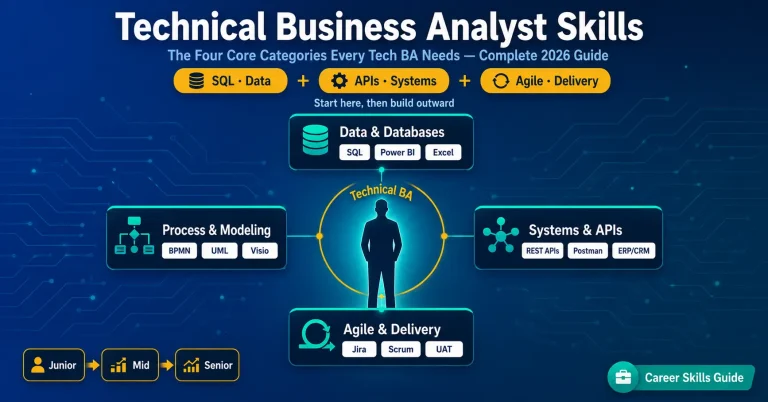
Build Top Technical Business Analyst Skills In 2026
The complete breakdown of every skill from this roadmap: SQL, APIs, data modeling, Agile, and the tools to learn each one, in order.
Read article →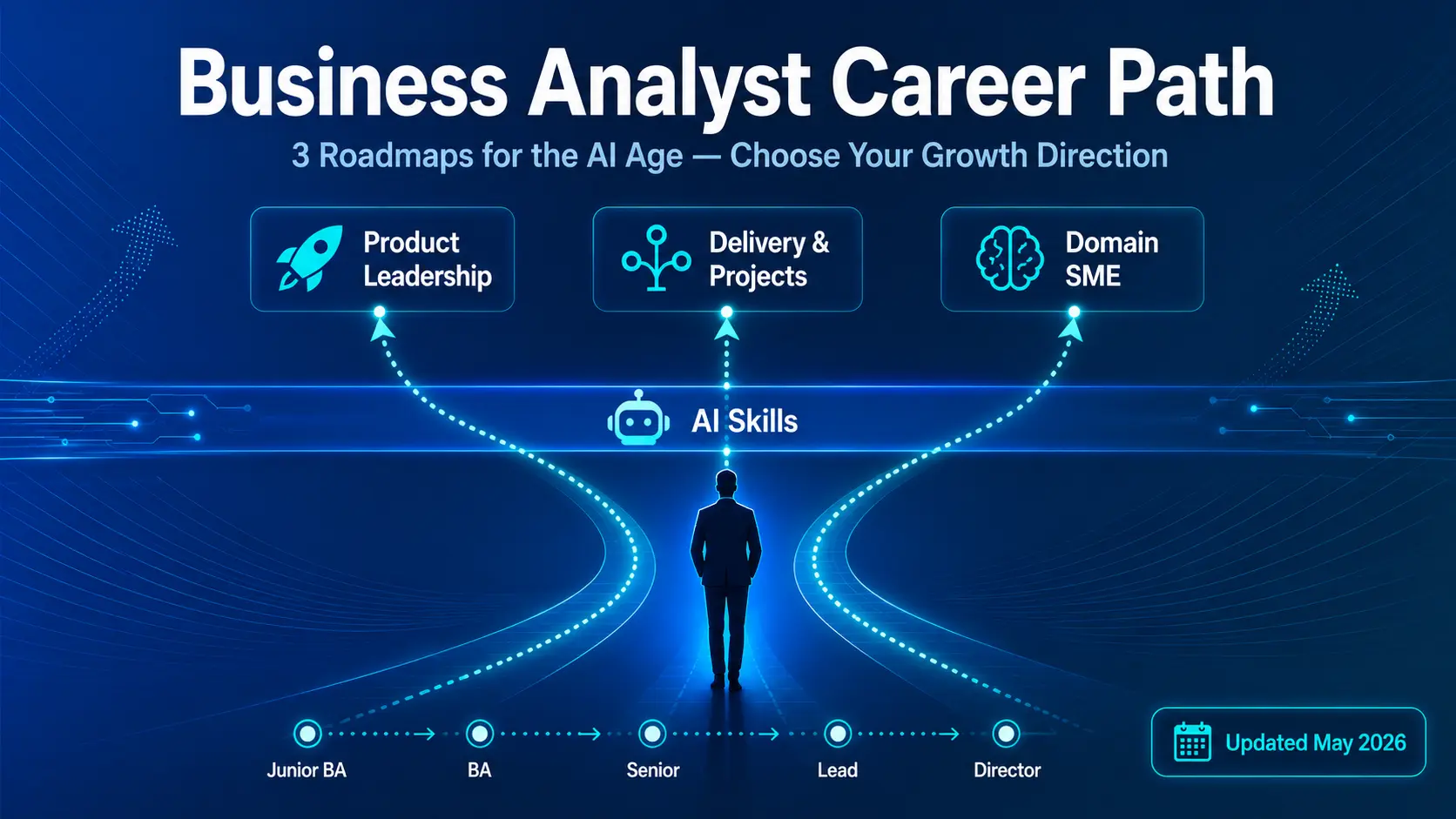
Business Analyst Career Paths
Understand the different career directions available for Business Analysts and how to choose the path that fits your strengths.
Read article →
How to Become a Product Owner
Learn how Business Analysts can move toward product ownership by building backlog, prioritization, and product-value skills.
Read article →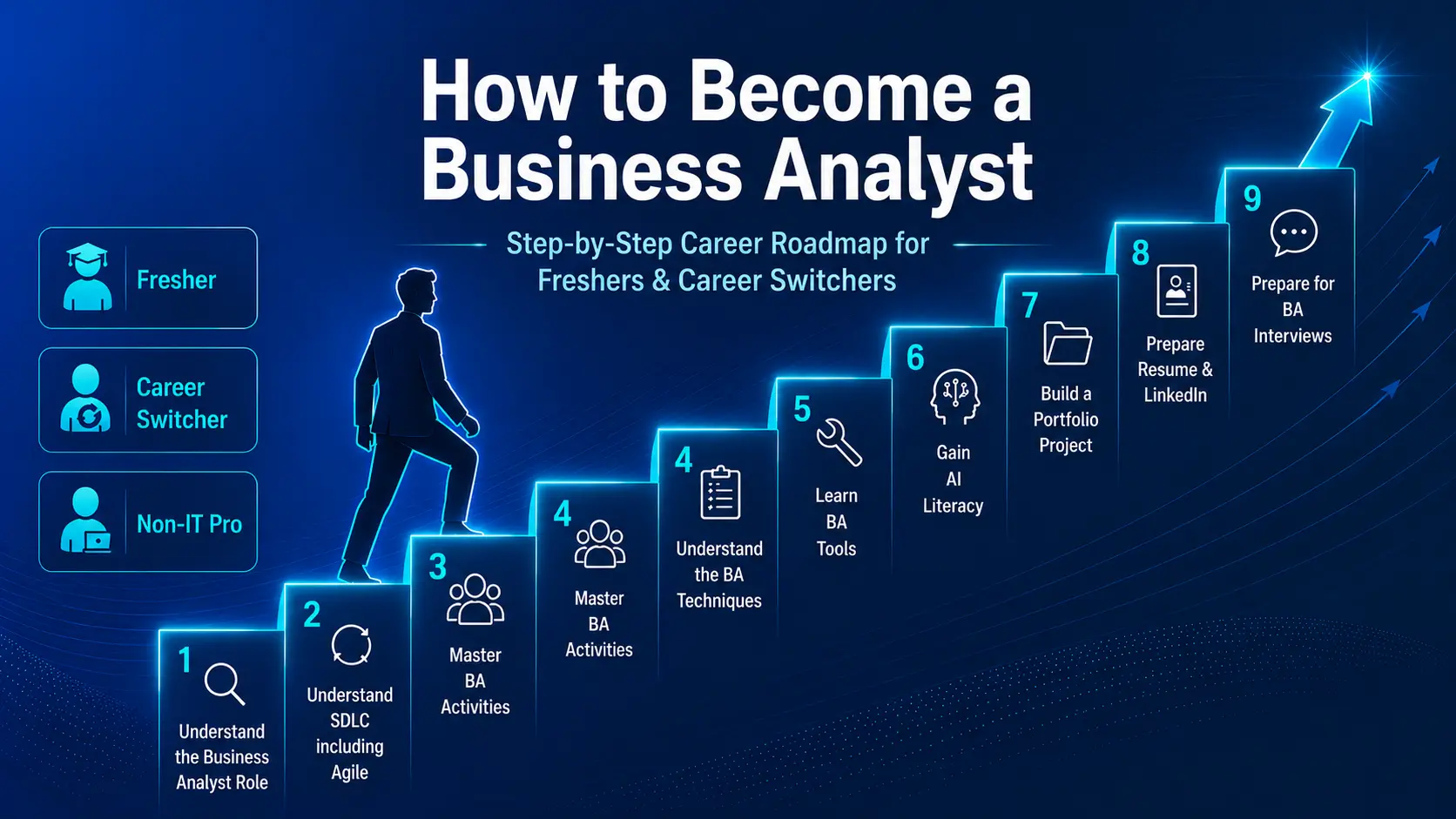
How to Become a Business Analyst
Start with the complete Business Analyst career roadmap covering skills, tools, certifications, portfolio, and interview preparation.
Read article →