5 Ways Smart Product Managers Use Generative AI to Speed Up PRD Writing
-
Accelerate Market Research: Use AI to instantly summarize competitor features and identify user gaps without endless browsing.
-
Uncover Hidden Edge Cases: Generate robust user stories that focus on negative scenarios and error states often missed during initial brainstorming.
-
Automate Tedious Documentation: Instantly draft detailed acceptance criteria and QA checklists to reduce bugs and align with developers faster.
-
Bridge the Technical Gap: Create initial JSON schemas and data models to facilitate deeper, more accurate conversations with your engineering team.
-
Polish for Leadership: Transform messy notes into professional, structured documents with executive summaries that get stakeholder buy-in quickly.
Table of Contents
Product management is often glorified as being the "CEO of the product," but the reality is usually less glamorous. You handle everything with zero authority, jumping between meetings and putting out fires.
Then, you have to sit down and figure out how to write a product requirements document (PRD).
It is the most important document you own, yet finding the focus to write it from scratch is painful. You stare at the blinking cursor, trying to translate strategy into specs.
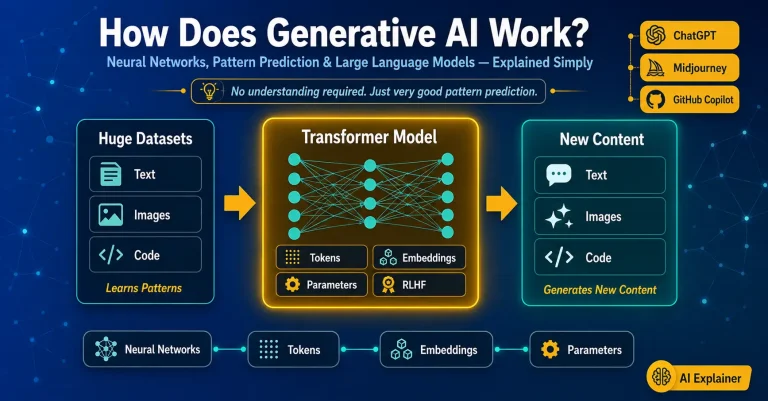
This is where Generative AI helps. Learning how to write a product requirements document using Gen AI isn't about replacing you. It’s about killing "blank page syndrome." It acts as a junior assistant who drafts the boring parts so you can focus on the strategy.
Smart PMs are using tools like ChatGPT, Claude, and Gemini to get to a "shitty first draft" in minutes, not hours. Here is how you can do the same.
Advance Your Product Management Career
1. Get the Market Context Without the Tab Overload
Every PRD needs a "Why." You have to justify the feature based on what the market wants or what competitors are doing. Usually, this means opening fifty tabs to check competitor release notes and help docs.
AI can speed this up. While most models can't browse the live web perfectly in real-time without plugins, they have a massive internal database of product knowledge. Use that to your advantage to summarize standard expectations.
How to do it: Don't ask generic questions like "What are the features of a dashboard?" That gives you generic fluff. Give it specific context about your product.
The Payoff: You get a solid background section instantly. It might not be perfect, but it gives you a structure to edit rather than writing from zero
2. Brainstorming User Stories: How to Write a Product Requirements Document Using Gen AI
You know the main flow: The user logs in, clicks a button, and succeeds. But what about the edge cases? What about when the internet cuts out? What about when the user doesn't have permission?
Generative AI excels in tackling complex problems. It can generate lists of user stories that cover angles you might have missed because you were too focused on the "happy path."
How to do it: Describe your user persona vividly. If the AI knows who is struggling, it writes better stories.
The Payoff: By asking for "negative scenarios," you force the model to think about robustness. This makes your PRD bulletproof before it even reaches the engineers.
3. Writing Acceptance Criteria That QA Won't Hate
This is the grind. Writing detailed Acceptance Criteria (AC) is boring, but if you skip it, you get bugs. Vague requirements are the enemy of speed.
Instead of typing out "Given, When, Then" fifty times, let the AI handle the repetitive formatting.
How to do it: Feed the user stories you just generated back into the tool. Ask for the AC in a format your developers prefer, like Gherkin or a simple checklist.
- Include regex validation rules for the email field.
- Define the error state if the email isn't in the DB.
- Define the lockout policy (max retries).
- Format as a QA checklist.
The Payoff: You get a ready-made checklist for your QA team. This bridges the gap between product and testing immediately, saving you a meeting later.
4. Fake It 'Til You Make It With Tech Specs
You aren't the Tech Lead, and you shouldn't try to be. But handing over a PRD with a suggested data structure helps the engineers respect your thought process. It shows you understand the complexity.
You can use AI to draft JSON schemas or API payloads. It’s not the final code, but it’s a great conversation starter.
How to do it: Describe the data fields and ask for a structure.
The Payoff: It speaks the developer's language. It reduces ambiguity and helps them estimate the effort accurately during sprint planning.
5. The Executive Summary (Because No One Reads the Whole Doc)
Let’s be real: your VP of Product or Head of Marketing is probably not going to read page 12 of your specs. They read the summary. If the summary is weak, approval stalls.
AI is a fantastic editor. It can take your messy notes and turn them into a polished executive summary.
How to do it: Paste your rough sections and ask for a cleanup.
2. Write a punchy 1-paragraph "Executive Summary" at the top explaining the value and success metrics.
3. Add proper H1/H2 headers.
The Payoff: It ensures the document looks professional. The executive summary is your sales pitch to leadership, so having AI distill your thoughts into a clear paragraph is a huge win.
How to Talk to the Bot (So It Actually Listens)
You can't just chat with AI casually and expect gold. You need to give it structure. Think of it like assigning a task to a junior intern. If you aren't specific, they will mess it up.
Here is a simple formula: CRTF.
The Warning Label: Don't Trust It Blindly
AI is a tool, not a replacement for your brain. It lies. It "hallucinates." It will confidentially suggest features that are technically impossible or totally made up.
Before you share the doc, check these: